
Blog posts tagged "sc:snap:maas"

Developers want Kubernetes infrastructure that is fast, consistent, and without limits! Platform engineering, IT, and DevOps teams are adopting Kubernetes as a Service (KaaS) now more than ever before to streamline efficiency for dev teams and operations. But what happens when the requirement involves deploying clusters directly on top of

Bare metal Kubernetes is a powerful set of technologies that builds on the best ideas behind the public and private cloud, yet abstracts away some toilsome aspects related to virtualisation management and networking. For operators and users, it provides significant benefits, making it easier and faster to ship and maintain complex, distri

2022 is right around the corner, and it’s not just time to prepare for Christmas, play video games, buy presents, or share anti-Christmas memes. It’s time to start making some predictions for bare metal Kubernetes! Take a minute and let’s think about it. Developers have advent of code so they’re busy right now. Sysadmins and
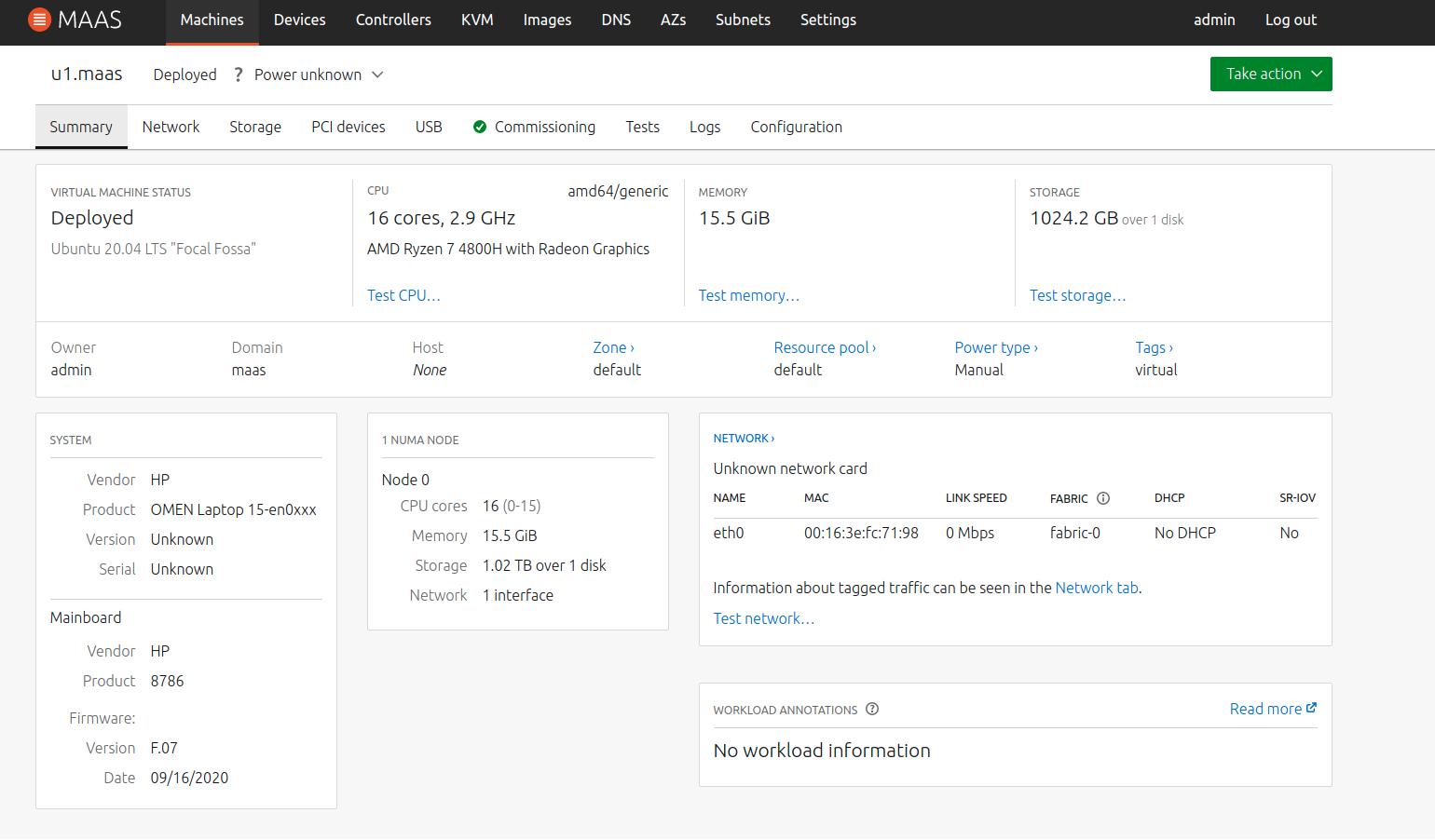
Back a few months ago, we did a feature poll on our MAAS forum, and the most-requested new feature turned out to be “Recommission/rescan a machine after it has been deployed“. With the release of MAAS 3.1, we’ve added that feature, making MAAS an even better choice for linux deployment tools. Here’s a sample of

We are happy to announce that MAAS 3.1 has been released. Bare metal provisioning just got even easier! MAAS 3.1 brings some of the most frequently-requested features into the product. A lot of this is serendipity — or maybe you could say that it’s about like minds tracking the same problem. Either way, we’re doing

We want to make it possible to deploy MAAS in an existing datacenter, and have it keep track of machines that already have a deployed workload — without disturbing machine or workload. Currently, in order to get a machine into MAAS, with correct hardware information, you have to network boot the machine and let MAAS

With the release of MAAS 3.0, we moved LXD virtual machines out of Beta. Several articles in the MAAS documentation address LXD. Since no document ties all these features together, though, it’s time for a topical blog about LXD. About LXD LXD, pronounced “lex-DEE,” is a container manager, as well as a virtual machine manager.

This blog title should really be, “Why you always, always, always want conflict detection turned on on all the networks MAAS touches,” but that’s really long as a title. But hear me out. As promised, here is another DHCP blog, this time explaining how you can have multiple DHCP servers on the same subnet, serving

It’s possible to have more than one DHCP server on the same network and still have everything work right, with no conflicts and no dropped packets or IP requests. It’s really not that hard to pull together, either, but there are some things to know, and some things to consider before we investigate that situation.

We discovered the Diátaxis Framework earlier this year. It’s been on our roadmap to shift MAAS doc to this cool new way of explaining things. This cycle, we plan to make it happen. You’d think it would be obvious…. Diátaxis is one of those ideas. Once you see it, you can’t figure out why everybody

We are happy to announce the release of MAAS 3.0. This release provides some new features and bug fixes. Here’s the tl;dr summary: PCI and USB devices are now modelled in MAAS PCI and USB device tabs are now available in machine details IBM Z DPM partitions are supported for MAAS and virtual machines Proxmox
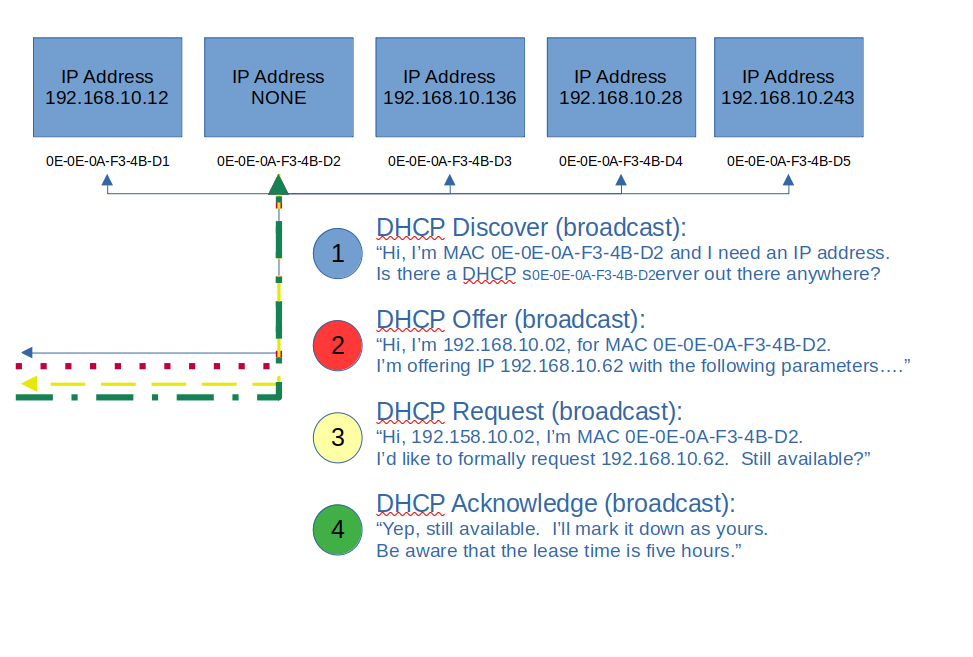
Let’s step back and take a very basic look at DHCP. In fact, let’s look at the analogy of assigning a street address to your house. Usually, this is done by the local 911 dispatch office, or some other central authority. They typically use either a survey map or a latitude, longitude pair to locate

Welcome back to our series on MAAS CLI operations. In our previous post, we learned how to acquire and deploy machines using the MAAS CLI. It was also evident that the JSON output from the allocate and deploy commands was very lengthy for even one machine — so you can imagine how large a list

Canonical is happy to announce that MAAS 2.9 is now available. We’ll get to the details of installing it in just a moment, but first, let’s walk through a brief overview of the new features and fixes. Later on in this post, we’ll cover some of these features in much more detail. New features &

Continuing in our series on CLI-only MAAS operation, it’s time to deploy machines. In the previous post, we reached the point of creating and commissioning machines, using only the MAAS CLI. Moving forward, there are two key steps: acquiring machines, and then deploying them. Let’s take a look Acquiring a machine using the CLI When

The whole point of MAAS configuration is to get machines deployed. If you read the previous post in this series, you know how to install MAAS and do basic configuration using only the MAAS Command-Line Interface (CLI). So far, so good, but now we need to enable networking and create some machines. Enabling DHCP The