1. Blog
  2. Article

Canonical
3 August 2017

Upgrading your Ubuntu-on-Windows install to the app version


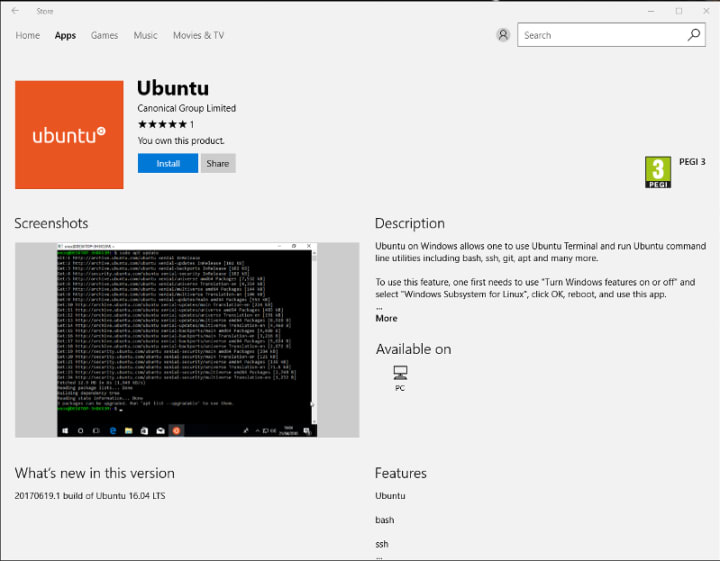
Our team and Microsoft recently released Ubuntu as a Windows app store application! If you toyed with the “bash on Ubuntu on Windows” version before and would like to try the latest and greatest, read on!
Saving your data

If your “bash on ubuntu on windows” environment has some data you’d like to keep, make sure you back it up now. The uninstall process will nuke everything.

Uninstall the old way

This is relatively simple. Opening a command line (cmd.exe) terminal and typing

lxrun /uninstall

will destroy your previous environment.

Installing the new way

To find the app in the Microsoft store, just type “Ubuntu” in the search bar. Click install. Voilà!


Related posts

What’s it like to work at Canonical?

Working in technology is exciting. You meet constant challenges and get the satisfaction of working on products that can scale to reach millions. There are many technology...

Automating bare metal infrastructure in FIPS-regulated environments with MAAS

Organizations operating sensitive infrastructure, particularly in the government, defense, and financial services sectors, often face strict security and compliance...

From documentation to design thinking: lessons from Canonical’s Design Academy

Technical Authors at Canonical design experiences: they organize complex information, guide users through unfamiliar systems, and translate technical detail into something...

Canonical and Huawei Kunpeng announce collaboration to deliver optimized Ubuntu and Ubuntu Pro on Kunpeng hardware

The collaboration combines Huawei Kunpeng’s advanced computing architecture with Canonical’s enterprise-grade open source software to accelerate cloud modernization, AI...